
Streamlined video editing app
iMovie has long been known as an approachable multimedia editor designed for beginners and casual creators who want polished results without technical overwhelm. It makes it easy to organize clips, trim footage, and build storytelling projects in a clean, friendly workspace that feels more inviting than many professional editors while still offering useful video tools for everyday projects and learning.

Unlock your creativity with Adobe Stock
Get 10 images or 1 video with a free trial
iMovie stands out as an editor blending simplicity with creativity for users who prefer storytelling over complex timelines. It offers intuitive audio tools, titles, transitions, and effects, making it an entry point into video editing for educational projects and work. It comes pre-installed and is completely free for users of Apple devices.
Friendly editing with creative options
iMovie may not rival high-end studio software, but it offers a carefully chosen set of editing, audio, and visual tools for everyday creators. It supports high-resolution projects and provides helpful features like templates, color correction, titles, and slow-motion effects. Its streamlined design keeps the program approachable, letting users achieve polished results without complex setups, making it perfect for home users, students, and casual storytellers seeking efficiency.
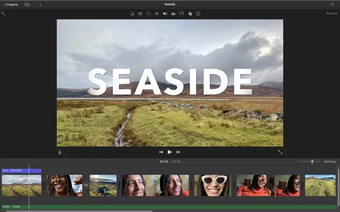
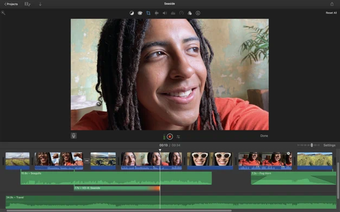
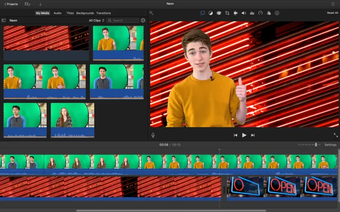
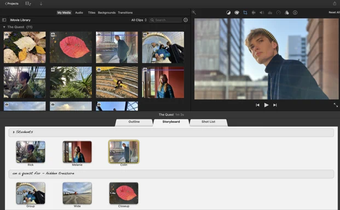
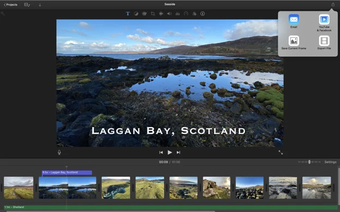
It has a welcoming, straightforward interface. From the first launch, users encounter a clean, minimal workspace where drag-and-drop editing feels natural, and effects are easy to preview and apply. Beginners can quickly pick up the basics, while hobbyists can still produce polished results. Advanced editors, however, may find the customization options somewhat limited, especially if they are used to more complex, professional-grade editing environments.
This program generally performs smoothly, even with high-definition video, and reliably handles most casual to intermediate editing tasks. Exporting projects is simple, and media integration makes sharing and archiving easy. However, workflows needing layered effects or professional-level color grading are better suited for full studio suites. As projects grow in complexity, power users may eventually outgrow and require more advanced editing tools to meet their needs.
Friendly and accessible video editing
iMovie remains a friendly, reliable, and thoughtfully designed editor for anyone seeking polished video results without the steep learning curve of professional software. It is ideal for beginners, students, and casual creators who prioritize ease-of-use, a clean interface, and consistent performance over advanced technical features. With intuitive tools and straightforward workflows, it allows users to focus on storytelling and creativity rather than complex customization or technical setup.







.png)

.webp)
.webp)